












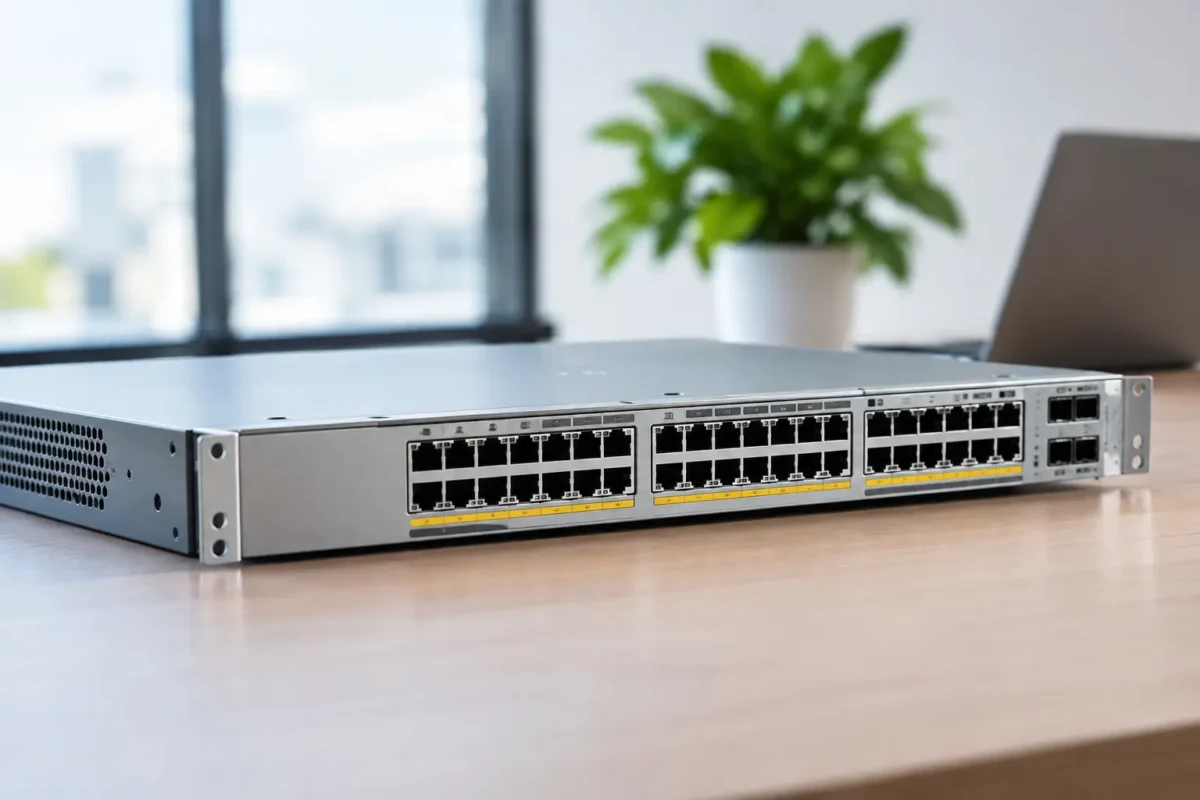
A failed access switch is rarely just a switch problem. It can take out phones, wireless access points, cameras, printers and whole floor segments at once. This Cisco Catalyst 9300 review looks at whether Cisco’s long-running enterprise access platform still earns its place in a new deployment, a refresh project or a cost-conscious used hardware purchase.
The short answer is yes, for organisations that need dependable Layer 3 access switching, Power over Ethernet capacity and a familiar Cisco IOS XE operating model. The longer answer depends on the exact SKU, uplink requirement, power budget and licensing position. A Catalyst 9300 can be excellent value, but it is not automatically the right choice for every branch, small office or straightforward flat network.
What the Cisco Catalyst 9300 Is Built For
The Catalyst 9300 is a stackable enterprise access switch family. It is designed for the wiring closet rather than the core of a large data centre, although its routing, stacking and uplink options make it capable of handling demanding campus and distribution roles in the right design.
Its appeal is straightforward: high-density 1GbE access ports, selected multigigabit options, PoE or PoE+ support, modular uplinks on many models, and StackWise technology for operating multiple physical switches as one logical unit. For IT teams replacing older Catalyst 2960, 3560, 3650 or 3850 platforms, it is a familiar step forward without requiring a complete change in operational approach.
Cisco offers several variants under the 9300 name. That matters when comparing listings. A C9300, C9300L and C9300X are related products, not identical configurations. Port speed, uplink flexibility, stacking bandwidth, power supply design and software capability can vary considerably.
Cisco Catalyst 9300 Review: Performance and Features
The standard Catalyst 9300 series delivers the feature set most organisations expect from a premium access-layer switch. Gigabit access, full Layer 3 routing, VLAN segmentation, quality of service, access control lists, 802.1X authentication and management through Cisco IOS XE are all part of the platform’s appeal.
For branch offices, schools, healthcare sites and multi-floor commercial premises, the combination of PoE and policy control is particularly useful. One switch stack can support desk phones, Wi-Fi access points, door access systems and IP cameras while keeping devices in separate network segments. That is a more practical requirement than headline switching capacity for many buyers.
Selected models support multigigabit Ethernet, which is relevant where modern Wi-Fi 6 or Wi-Fi 6E access points can exceed 1Gbps over existing Category cabling. If wireless capacity is growing, buying a standard 1GbE-only model simply because it is discounted can create an avoidable bottleneck. Conversely, multigig ports carry a premium and are unnecessary for a site with ordinary wired users and modest access-point demand.
Stacking is a major buying reason
StackWise lets compatible switches operate as a single logical stack, with shared management and resiliency benefits. Instead of administering four separate switches, an administrator can manage one stack, one configuration and one control plane. It also simplifies port allocation and supports redundancy when correctly designed.
The exact stacking technology differs by platform generation. Standard Catalyst 9300 models are commonly associated with StackWise-480, while Catalyst 9300X models offer higher-capacity StackWise-1T capabilities. Do not assume stack cables, stack modules or stack compatibility are interchangeable across every Catalyst family. Confirm the precise hardware part numbers before adding equipment to an existing stack.
Uplinks need closer attention than access ports
A 48-port switch may look like a direct replacement for another 48-port switch, but the uplink design can decide whether it fits the network. Many Catalyst 9300 models use modular network modules, allowing organisations to choose fibre or copper uplink options to suit their distribution switch. Others, especially lower-cost variants, have fixed uplinks.
Check whether the required network module is included with the switch. A chassis without the right uplink module may be attractively priced but unusable on arrival. Also verify optic type, connector format, fibre type and target speed. A 10GbE SFP+ uplink requirement is common, but it is not universal.
PoE Capacity: Check the Watts, Not Just the Label
PoE is one of the strongest reasons to buy a Catalyst 9300, but “PoE switch” is not enough information for procurement. The available power budget is determined by the specific switch model and installed power supplies. A 48-port PoE+ unit can physically connect 48 powered devices without necessarily delivering the maximum wattage to all of them at the same time.
This becomes critical with high-power wireless access points, pan-tilt-zoom cameras, LED lighting controllers and devices requiring UPOE or enhanced PoE. Calculate the realistic draw of the endpoint estate, add headroom for growth, then compare that figure with the switch’s supported power budget. This is especially important in a stack, where power redundancy and distribution should be planned rather than assumed.
For ordinary desk phones and standard access points, a conventional PoE+ configuration may be entirely sufficient. Paying for higher-power capability makes sense only where endpoint demand justifies it.
Software, Security and Licensing Considerations
Catalyst 9300 switches run Cisco IOS XE, a well-established operating system for enterprise networking teams. Administrators already working with Cisco command-line configuration, SNMP monitoring, syslog and familiar routing protocols will find the platform predictable. It also supports automation approaches using APIs and model-driven management, which can reduce repetitive configuration work across larger estates.
Security features are another reason the range remains popular. Depending on software entitlement and configuration, organisations can use 802.1X, MACsec, TrustSec policies, segmentation and detailed access controls. These capabilities are valuable where guest devices, managed endpoints, operational technology and staff networks share the same physical access layer.
Licensing needs careful review before purchase. Cisco hardware, perpetual network licences and subscription-based software entitlements are not a simple one-size-fits-all proposition. The required level may differ between Network Essentials and Network Advantage, while advanced management and assurance functions may involve Cisco DNA subscriptions. Existing Smart Account ownership, transfer eligibility and current licensing policy should be checked before committing to a used or surplus unit.
For a straightforward access switch deployment, buyers should avoid paying for feature levels they will never use. For a routed access design, advanced segmentation project or standardised enterprise environment, cutting licence scope too aggressively can become a costly limitation later.
Where the Catalyst 9300 Makes Sense
The Catalyst 9300 is best suited to organisations that value operational continuity, stack resilience and enterprise-grade feature depth. It is a strong candidate for a campus refresh, a branch standardisation programme or expansion of an installed Cisco estate.
It is especially compelling when you need all of the following: substantial PoE capacity, 24 or 48 access ports, fibre uplinks, Layer 3 capability and centralised stack management. Buying a lower-tier switch and adding workarounds for each missing requirement often costs more in time and complexity than purchasing the correct platform first.
There are situations where it may be excessive. A small office with a handful of users, no need for PoE and a single internet connection may be better served by a simpler managed switch. Likewise, if 25GbE access connectivity or data-centre-specific features are the priority, the Catalyst 9300 is not the natural first choice.
Choosing the Right 9300 Model
Start with the deployment requirement, then narrow down the model number. The most useful checks are practical rather than theoretical:
- Choose 24 or 48 ports based on real endpoint count plus growth headroom.
- Specify non-PoE, PoE+, UPOE or higher-power support based on endpoint wattage.
- Confirm whether 1GbE, multigigabit or a mixture of port speeds is required.
- Verify the uplink module type, stacking accessories, power supplies and fans included in the quote.
- Match the software and licensing entitlement to the intended feature set.
For discounted or used enterprise hardware, condition and completeness matter as much as the base chassis. Ask whether power supplies, network modules, stack components, rack ears and console accessories are included. A complete, tested configuration can represent better value than a lower-priced bare unit that requires several additional parts.
The Verdict for IT Buyers
The Catalyst 9300 remains a capable access-switch platform because it solves the daily problems that matter in business networks: powering endpoints, separating traffic, maintaining uptime, scaling port density and keeping switch management under control. It is not the cheapest route to basic Ethernet connectivity, nor should it be bought on a model name alone.
The best purchase is the exact configuration that matches your power draw, uplink path, licence requirements and future wireless plan. Before placing an order, put the full part number against your network design and bill of materials. That five-minute check can prevent the far more expensive problem of discovering a missing module, insufficient PoE budget or incompatible stack component after the equipment reaches site.
