












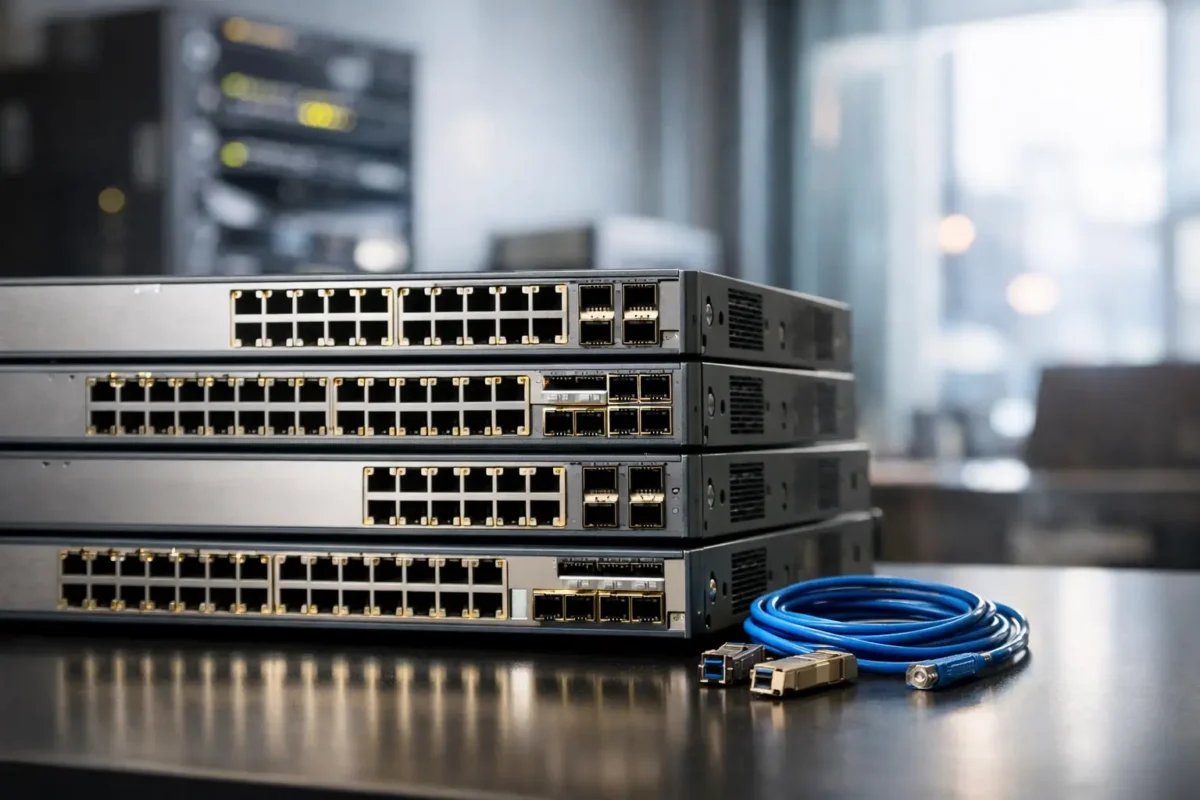
A switch quote can get out of hand fast when you are refreshing an edge closet, replacing failed hardware, or building out a lab with business-grade gear. That is exactly why demand for used Cisco switches for sale stays strong across SMBs, MSPs, schools, branch offices, and enterprise procurement teams that need recognizable hardware without paying current-list pricing.
The appeal is straightforward. Cisco switching still carries weight because the model families are familiar, the feature sets are proven, and the hardware tends to remain useful well beyond its first deployment cycle. If you know what you are buying, used equipment can cut costs sharply while still giving you the port density, PoE budget, Layer 2 or Layer 3 capability, and uplink flexibility your network actually needs.
Why used Cisco switches for sale keep moving
For most buyers, this is not about nostalgia for legacy gear. It is about matching a known platform to a real requirement. If you need a 24-port Gigabit access switch with PoE for phones and APs, a used Cisco Catalyst unit can often handle the job at a fraction of the cost of a new generation platform.
That matters when you are scaling multiple sites or holding spares for support contracts and field replacements. A used switch also makes sense when the network around it is not changing much. If the environment still runs on 1G access, standard VLAN segmentation, and moderate uplink demand, there is no reason to overspend on features the site will never use.
There is also the compatibility factor. IT teams often prefer to stay inside an existing Cisco environment to keep management, CLI familiarity, optics behavior, and replacement planning consistent. Mixing platforms can work, but it can also add friction when standardization matters.
What actually matters before you buy
The biggest mistake in this market is shopping by discount percentage alone. Price matters, but the right fit comes down to a handful of technical checks.
Port count and speed
Start with the obvious but non-negotiable question: how many ports do you need today, and how many will you need after the next device rollout? A 24-port unit may look like a bargain until you account for IP phones, wireless access points, printers, cameras, uplinks, and a few spare ports for growth.
Speed matters just as much. Many used Cisco switches still offer excellent value at Gigabit access, but some older models may include Fast Ethernet ports that are too limiting for modern desktops, APs, or surveillance traffic. If you are buying for a production network, verify whether every access port is 10/100/1000 or whether the switch belongs to an older generation with mixed capabilities.
PoE and power budget
This is where many buyers get caught. A switch may be PoE-capable on paper, but the total power budget determines what it can support in practice. A site with VoIP handsets has different requirements than one running Wi-Fi 6 access points or PTZ cameras.
Check whether the switch supports PoE, PoE+, or only a limited power profile. Then look at the total wattage available, not just the port count. A 48-port switch with a low power budget may not fully power 48 devices at once. If your deployment includes phones plus access points, budget calculations need to happen before the purchase, not after installation.
Uplinks and stacking
Access switching decisions are often made around endpoint counts, but uplinks are where bottlenecks show up. Review whether the switch offers SFP or SFP+ uplinks and how many are available. If the site has growing east-west traffic, heavy wireless use, or a large number of users behind a single access layer, uplink capacity matters more than the discount tag.
Stacking is another practical consideration. Some Cisco models support stacking that simplifies management and improves scalability, while others do not. If you are planning a closet standard with multiple units, stacking capability may justify paying slightly more for the right series.
Which Cisco switch families make sense
Not every used Cisco switch is a smart buy. Some are still highly practical, while others are too old, too limited, or too awkward for current deployments.
The Catalyst line remains the main target for most business buyers. Models in the 2960, 3560, 3750, 3850, and related families are common on the secondary market because they were widely deployed and are still recognized by network teams. What makes sense depends on the use case.
A Catalyst 2960 can still work well for straightforward access switching where Layer 2 features and Gigabit connectivity are enough. A 3560 or 3750 may be more attractive when you need stronger Layer 3 functionality or a mature branch platform. If you are buying for more demanding environments, newer used models in the 3850 class may offer better uplinks, wireless integration support, and more relevant feature depth.
The trade-off is simple. Older units are cheaper, but they can bring lower energy efficiency, older software limitations, and less headroom for future requirements. Newer used models cost more, but often reduce compromise.
Condition, software, and licensing are not side issues
When buyers search used Cisco switches for sale, they often focus on cosmetics first because that is what a listing shows most clearly. Cosmetic condition matters less than operational condition, tested status, and what is actually included.
Ask the practical questions. Does the unit include rack ears, power supplies, fans, and uplink modules if the platform requires them? Has it been tested for full port functionality? Has it been reset and verified to boot cleanly? If the switch depends on removable network modules or specific power supplies, missing parts can wipe out any savings.
Software version also matters. Even experienced buyers sometimes assume they can just drop a used Cisco switch into the rack and move on. In reality, image level, feature set, and licensing history can affect what the hardware can do. That does not make used gear risky by default, but it does mean you should validate the operating environment before the purchase.
For many teams, the best used hardware purchase is the one with fewer surprises, not the absolute lowest price.
When used is the right call and when it is not
Used Cisco gear is a strong fit for branch refreshes, access layer expansion, spare inventory, lab environments, and budget-controlled production deployments where the required feature set is already well understood. It is also a practical option for organizations replacing a failed switch with the same model to avoid redesign work or compatibility issues.
It may be a weaker fit if you are building around new multi-gig access, advanced automation goals, high-density PoE for next-generation wireless, or very long lifecycle expectations. In those cases, newer platforms may provide better value over time even if the initial spend is higher.
This is where experienced buyers separate deal pricing from smart procurement. A switch is only cheap if it does the job for the full deployment window you need.
How to evaluate a listing fast
A strong listing should tell you more than brand and port count. It should make model identification easy and reduce ambiguity around what you are getting. If you are comparing options, move through the same filters each time.
Look at the exact model number first, because one character can change PoE support, uplink type, or software feature level. Then review port density, switching type, managed features, Layer 2 versus Layer 3 capability, and included accessories. After that, evaluate seller-side buying signals such as warranty coverage, return options, stock visibility, and whether the listing is structured for buyers who understand enterprise hardware.
That matters because procurement speed is part of the value proposition. A retailer with broad inventory, aggressive pricing, and clear warranty language is usually easier to work with than a vague one-off listing. For buyers sourcing replacement hardware or planning a larger order, that consistency can be worth as much as the discount itself.
Buying with less risk
The safest path is to buy used hardware the same way you would buy new infrastructure – by matching the switch to the requirement, not by chasing the biggest markdown. Confirm the model family, confirm the power profile, confirm the uplinks, and confirm what is in the box.
If you are supporting multiple sites, standardize where possible. If you are buying for a single replacement, prioritize compatibility with the existing stack or closet design. And if you are working under budget pressure, focus on tested inventory with warranty backing rather than unknown-condition hardware. That is where a high-volume reseller such as Green Code UK can make the used market easier to navigate for procurement-led buyers.
The best used Cisco purchase is not the one with the lowest sticker price. It is the one that arrives ready for the network you have, with the specs you need, and enough life left in it to make the savings real.
